Event statistics component
Overview
You can find this area when you open an event and navigate to event statistics. You can also open statistics by clicking "Event statistics" on the event dashboard. Here you find an overview of various metrics and data about your event that help you understand activity and success.
Features
View statistics
- Open the event whose statistics you want to see.
- Navigate to event statistics.
- Statistics are loaded automatically and displayed in various charts and overviews.
Statistics sections
Participant statistics
In this section you see statistics about participants:
- Registrations per day: Number of new registrations per day
- Cancellations per day: Number of new cancellations per day
- Cumulative registrations: Total number of registered participants over time
- Cumulative cancellations: Total number of cancelled registrations over time
These are displayed in a chart that shows how participant numbers evolve over time.
Networking statistics
Here you see statistics for networking:
- Chats per day: Number of networking chats created per day
- Appointments per day: Number of networking appointments agreed per day
- Cancelled appointments per day: Number of cancelled appointments per day
- Messages per day: Number of messages sent in networking chats per day
These are displayed in a chart that shows networking activity over time.
Mailing statistics
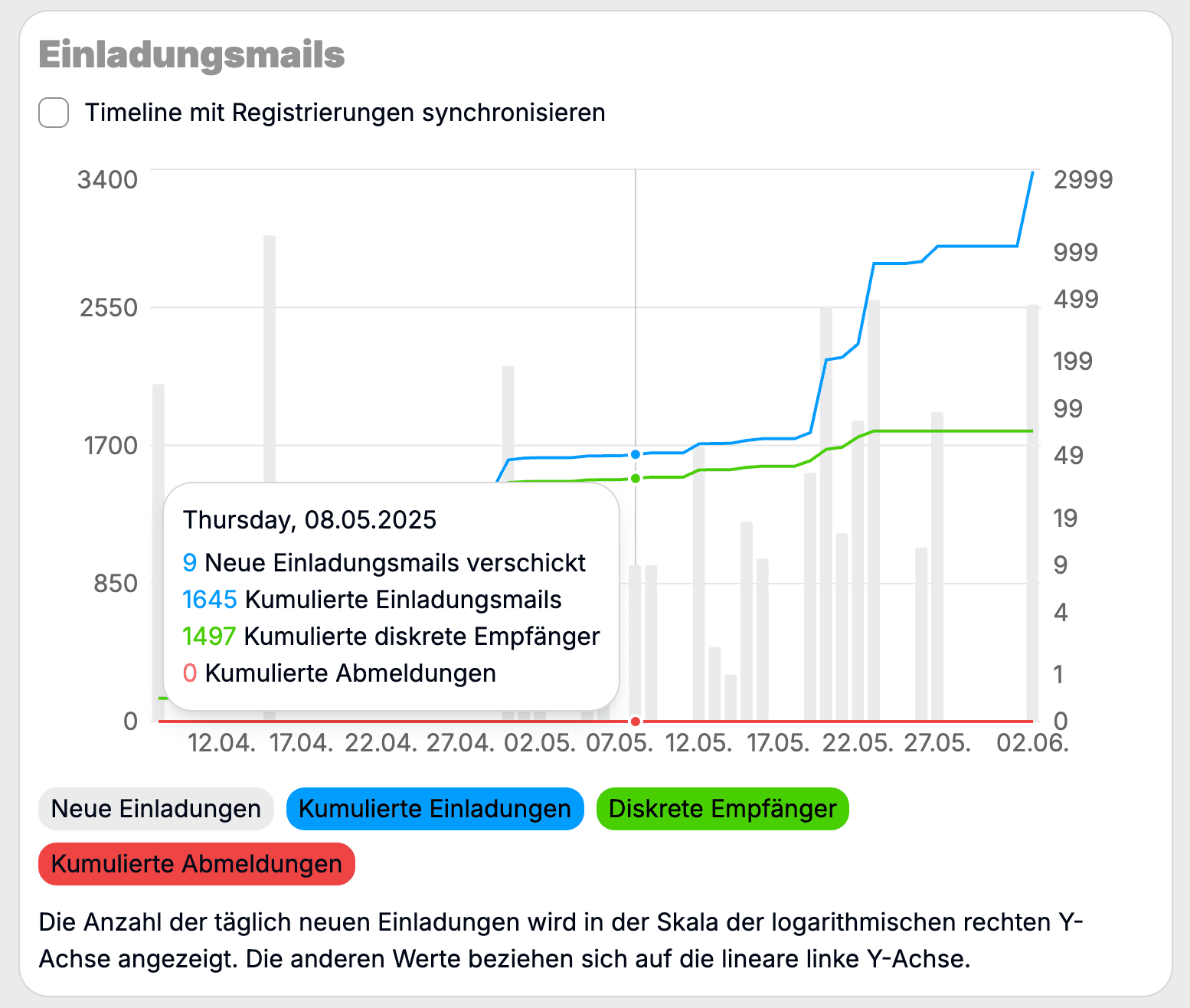
Here you see statistics about your event’s mailings:
- New invitations per day: Number of invitations sent per day (logarithmic scale)
- Cumulative invitations: Total number of invitations sent over time
- Distinct recipients: Number of unique email recipients
- Cumulative cancellations: Total number of opt‑outs over time
These are displayed in a chart that shows mailing activity over time. The number of new invitations per day is shown on a logarithmic scale, while the other values use a linear scale. Via a checkbox at the top left you can sync the timeline with registrations.
Usage
Statistics help you monitor the success and activity of your event. You can see how participant numbers develop, how actively networking is used and how successful your mailings are.